

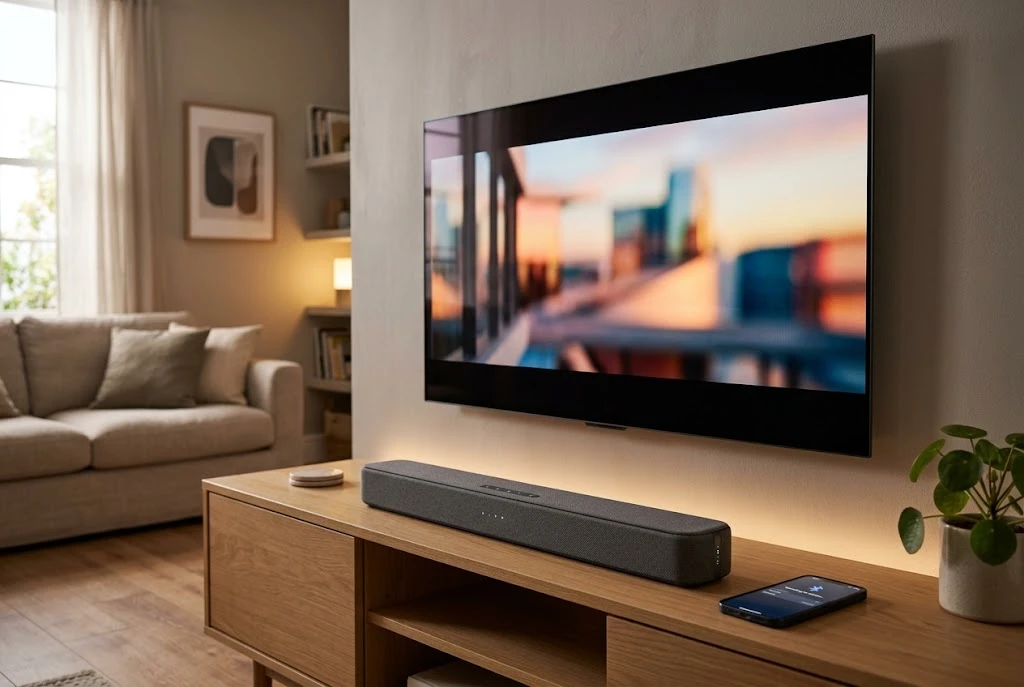
Current product documentation shows several Lifestyle Advanced soundbar models, including the 2.0CH LASB-2800BLK and the KB-S701BL-4 Bluetooth soundbar. Because specifications differ between models, buyers should always check the model number before assuming that a particular connection, power rating, display, remote, or feature is included.
This guide explains what Lifestyle Advanced soundbars offer, how the different connections work, how to pair one with Bluetooth, how to position it for better listening, what to consider before buying, and how to troubleshoot common connection problems.
What Is a Lifestyle Advanced Soundbar?
A Lifestyle Advanced soundbar is a compact speaker system intended for indoor home use. Instead of using several separate speakers around a room, a soundbar places multiple audio components inside a single elongated enclosure.
The exact configuration depends on the model. For example, documentation for the Lifestyle Advanced 2.0CH soundbar identifies the LASB-2800BLK as a 2.0-channel system with Bluetooth, USB, TF, AUX, and FM functionality.
Another Lifestyle Advanced model, the KB-S701BL-4, is documented as a wireless Bluetooth soundbar with USB and TF-card inputs and FM functionality. Its available documentation also lists LED lighting and a rechargeable design.
This model variation is important. The phrase “Lifestyle Advanced Soundbar” can refer to more than one product, so the model number is the best starting point when researching specifications.
Why Choose a Soundbar Instead of Separate Speakers?
Soundbars appeal to people who want better audio without filling a room with multiple speakers, amplifiers, and cables.
A compact soundbar can provide several practical advantages:
- Less equipment around the room.
- A cleaner entertainment-center setup.
- Simple Bluetooth music playback.
- Easy access to multiple audio sources.
- Lower space requirements than a conventional speaker system.
- Convenient operation through buttons or a remote control on supported models.
For smaller rooms, bedrooms, offices, apartments, or casual entertainment spaces, simplicity can be more useful than building a complex home-theater system.
Lifestyle Advanced Soundbar Features
The available documentation shows that Lifestyle Advanced soundbars can include several useful playback and connectivity options. The exact combination depends on the model.
Bluetooth Connectivity
Bluetooth is one of the most convenient features because it allows compatible phones, tablets, computers, and other devices to send audio wirelessly to the soundbar.
For the Lifestyle Advanced 2.0CH model, the user manual instructs users to switch to Bluetooth mode and select “LIFESTYLE ADVANCED SOUNDBAR” from the Bluetooth device list. Once pairing is completed, the Bluetooth indicator stops flashing.
This makes the soundbar useful not only for television audio but also for casual music streaming from a mobile device.
USB Playback
Supported models include USB playback. A USB drive can be connected directly to the soundbar, allowing compatible audio files to be played without Bluetooth.
The 2.0CH documentation identifies a USB port and explains that the soundbar can switch between different playback modes using the mode controls.
TF or microSD Card Support
Some Lifestyle Advanced models include a TF-card slot, which is commonly associated with microSD storage.
The 2.0CH manual specifies support for TF cards up to 32 GB.
This can be useful when you want to play locally stored music without keeping a phone connected.
AUX Input
AUX provides a wired audio connection for compatible devices. It can be useful when Bluetooth is unavailable or when you prefer a direct connection.
The Lifestyle Advanced 2.0CH documentation identifies AUX as an audio input and explains that the soundbar can be switched to AU mode for wired playback.
FM Radio
Some Lifestyle Advanced models also include FM radio functionality. The documentation explains that users can switch to FM mode and automatically search for radio channels.
The 2.0CH manual notes that the Type-C charging cable should be connected as an antenna before searching for FM stations.
Remote Control
Supported models can include a remote control for power, volume, playback, input selection, and equalizer functions.
The 2.0CH documentation lists several remote functions, including Bluetooth and USB track navigation, playback control, mode selection, mute, and EQ presets.
Lifestyle Advanced Soundbar Models
Because Lifestyle Advanced has multiple soundbar products, comparing model numbers is essential.
Lifestyle Advanced 2.0CH Soundbar
The LASB-2800BLK is documented as a 2.0-channel soundbar designed for indoor household use. Its listed functions include Bluetooth, USB, AUX, TF-card playback, and FM radio, along with a remote control.
This model is particularly relevant for users who want a simple all-in-one speaker with several playback options rather than a sophisticated multi-speaker surround system.
Lifestyle Advanced KB-S701BL-4
The KB-S701BL-4 is another Lifestyle Advanced Bluetooth soundbar. Current documentation lists Bluetooth, USB, TF-card, and FM functions and identifies LED lighting among its features.
The available manual database lists this model with dimensions of approximately 16.54 × 2.76 × 2.95 inches, while another database record identifies a different specification set for the product family. Buyers should therefore verify the specifications printed for the exact model before ordering.
How to Connect a Lifestyle Advanced Soundbar to Bluetooth
Bluetooth pairing is generally straightforward.
- Turn on the soundbar.
- Press the mode button until Bluetooth mode is selected.
- Open Bluetooth settings on your phone, tablet, or computer.
- Search for available Bluetooth devices.
- Select “LIFESTYLE ADVANCED SOUNDBAR” when it appears.
- Wait for the pairing indicator to stop flashing.
- Start playing audio from your connected device.
These steps follow the available Lifestyle Advanced 2.0CH documentation. The exact button names can vary between models, so the manual for the specific unit should take priority.
How to Use AUX With a Lifestyle Advanced Soundbar
If you want a wired connection, connect the compatible audio cable between your source device and the soundbar’s AUX input.
Then:
- Turn on the soundbar.
- Press the mode button.
- Select AUX or AU mode.
- Start playback on the connected device.
- Adjust the volume on the source device and soundbar as necessary.
The 2.0CH manual identifies AUX as an audio input and uses “AU” for the corresponding operating mode.
How to Play Music From a USB Drive
On supported models, a USB drive can be connected directly to the soundbar.
A simple process is:
- Prepare a compatible USB drive containing supported audio files.
- Connect it to the USB port.
- Switch the soundbar to USB mode.
- Use the playback controls or remote to navigate tracks.
File compatibility can vary, so users should consult the manual for the exact model if a particular audio format does not play correctly.
How to Improve Soundbar Placement
Even an affordable soundbar can sound different depending on where it is positioned.
Place It Near the TV
For television use, place the soundbar close to the screen so dialogue and other audio appear to come from the same general location as the picture.
Avoid Blocking the Speaker
Do not cover the speaker grille with decorative objects, furniture, or other equipment. Obstructions can interfere with the sound reaching the listening area.
Keep the Soundbar Centered
Whenever practical, position the soundbar near the center of the television rather than far to one side.
Consider Wall Mounting Carefully
If a model supports wall mounting, follow the manufacturer’s instructions and use appropriate hardware for the wall type. The soundbar should be secure and positioned so that the speakers are not obstructed.
Is a Lifestyle Advanced Soundbar Good for TV?
A compact soundbar can be a practical improvement over the built-in speakers of many televisions, particularly when the goal is clearer and more convenient audio without installing a complete home-theater system.
However, expectations should match the product category. A basic 2.0-channel soundbar is not equivalent to a high-end surround system with multiple speakers and a dedicated subwoofer.
Current soundbar testing from TechRadar and AVForums demonstrates how significantly soundbar performance and feature sets can differ across models and price categories.
Is a Lifestyle Advanced Soundbar Good for Music?
It can be useful for casual music listening, especially when Bluetooth connectivity is the priority.
Its suitability depends on the particular model and your expectations. Someone looking for convenient background music may value Bluetooth, USB, FM, and compact design more than audiophile-level stereo imaging.
For serious music listening, buyers should pay closer attention to frequency response, speaker configuration, distortion, maximum output, room size, and independent listening tests.
Lifestyle Advanced Soundbar vs. a Full Home Theater
The biggest difference is complexity.
A compact soundbar typically requires little setup. A traditional home-theater system can involve an AV receiver, multiple speakers, subwoofer(s), speaker cables, room calibration, and considerably more space.
Choose a soundbar when:
- You want a simple setup.
- You have limited space.
- You want Bluetooth music playback.
- You mainly watch TV and stream casual content.
- You do not want multiple speakers around the room.
Consider a larger home-theater system when:
- You want a genuine multi-channel surround experience.
- You want stronger bass from a dedicated subwoofer.
- You have enough space for multiple speakers.
- You are willing to spend more time on setup and calibration.
What to Check Before Buying a Lifestyle Advanced Soundbar
Check the Exact Model Number
This is the most important step. Different Lifestyle Advanced soundbars have different specifications and feature sets.
Check Connectivity
If you plan to connect a modern TV, computer, or game console, confirm that the soundbar has the connection you need. Do not assume that every Lifestyle Advanced model includes HDMI, optical input, or HDMI ARC simply because another soundbar does.
Check Power Requirements
Review the model’s power specifications and determine whether it uses a wall adapter, USB power, or another power arrangement.
Check Physical Dimensions
Measure the available space before ordering. A soundbar that looks compact online can still be too wide or tall for a particular TV stand.
Check Included Accessories
Confirm whether the package includes a remote control, charging cable, power adapter, mounting accessories, or other items you may need.
Check Warranty and Returns
Review the seller’s warranty and return policy before purchasing. This is particularly important for electronics bought through third-party marketplaces.
Common Lifestyle Advanced Soundbar Problems
Bluetooth Will Not Pair
First make sure the soundbar is actually in Bluetooth mode. Remove the soundbar from the phone’s saved Bluetooth devices if necessary, restart both devices, and attempt pairing again.
If another phone or tablet is already connected, disconnect it before trying to pair a new device.
No Sound After Connecting
Check the soundbar’s selected input mode, the source device’s volume, and whether audio output is actually routed to the Bluetooth device.
FM Radio Reception Is Weak
Move the soundbar away from potential sources of interference and follow the model’s instructions regarding the antenna. The 2.0CH documentation specifically indicates using the Type-C cable as an antenna when searching for FM channels.
USB Drive Does Not Play
Check whether the drive is recognized and whether the audio files use a supported format. If the problem continues, consult the model-specific manual for supported storage and file specifications.
How to Get Better Audio From a Budget Soundbar
Good placement and sensible settings can make a noticeable difference.
- Keep the soundbar unobstructed.
- Center it with the television when possible.
- Avoid placing it inside a tightly enclosed cabinet.
- Keep the listening position within a reasonable distance.
- Use an appropriate EQ mode for the content.
- Reduce excessive bass if the room produces muddy sound.
- Check the source device’s audio-output settings.
Room acoustics also matter. Hard walls and floors can create reflections, while soft furnishings can absorb some sound energy. The best placement depends on the room and listening position.
Soundbar Features That Matter Most
Not every advertised feature is equally useful. Prioritize the functions that match your actual use.
For TV Viewing
Focus on clear dialogue, suitable volume, easy TV connectivity, and placement.
For Music
Bluetooth convenience, playback controls, sound balance, and frequency performance become more important.
For Small Rooms
Compact dimensions and simple connectivity may matter more than maximum output.
For Flexible Playback
USB, TF, AUX, Bluetooth, and FM support can provide more options when supported by the specific model.
Related Home and Lifestyle Content
Home entertainment products often sit alongside other household purchasing decisions. FreshDell’s Jada Lifestyles reviews guide, for example, looks at another category of home products and explains why shoppers should compare product specifications, retailer policies, and customer feedback before buying.
The same principle applies to soundbars: the cheapest listing is not necessarily the best choice if the model lacks the connections, accessories, warranty, or return protection you actually need.
Frequently Asked Questions About Lifestyle Advanced Soundbars
What is a Lifestyle Advanced Soundbar?
It is a compact home-audio speaker product sold under the Lifestyle Advanced brand. Different models provide different combinations of Bluetooth, USB, TF-card, AUX, FM, LED, and other features.
Does Lifestyle Advanced Soundbar have Bluetooth?
Yes. Available Lifestyle Advanced soundbar documentation identifies Bluetooth functionality, and the 2.0CH model instructs users to select “LIFESTYLE ADVANCED SOUNDBAR” when pairing a compatible device.
Can I connect a USB drive to a Lifestyle Advanced Soundbar?
Supported models include USB playback. The exact file compatibility and storage requirements depend on the model.
Does the Lifestyle Advanced Soundbar support FM radio?
Some models do. The available 2.0CH documentation includes an FM mode and automatic station-search function.
Can I use a Lifestyle Advanced Soundbar with my TV?
It can be used for TV audio when the television and soundbar have compatible connection options. Check the exact model before purchasing because not every Lifestyle Advanced soundbar necessarily has the same TV inputs.
Is Lifestyle Advanced Soundbar suitable for a small room?
A compact soundbar can be a practical choice for a bedroom, office, apartment, or other smaller room. The appropriate model depends on the room size, listening distance, desired volume, and available connections.
Does every Lifestyle Advanced Soundbar have the same specifications?
No. Lifestyle Advanced has multiple soundbar models. Current documentation shows meaningful differences between models, so buyers should verify the exact model number and specifications before ordering.
Final Thoughts
The Lifestyle Advanced Soundbar is best understood as a family of compact home-audio products rather than one single specification. Models such as the LASB-2800BLK and KB-S701BL-4 demonstrate the range of features available, including Bluetooth, USB, TF-card playback, AUX, FM radio, remote controls, and, on some models, LED lighting.
Its strongest appeal is convenience. A compact soundbar can provide a simpler entertainment setup while giving users more audio options than basic built-in speakers.
However, buyers should avoid assuming that every model has the same connectivity or performance. Check the exact model number, dimensions, inputs, power requirements, included accessories, warranty, and return policy before purchasing.
For casual TV viewing, everyday music, and compact home entertainment, the right Lifestyle Advanced model can be a practical solution. For buyers seeking a premium cinematic surround experience, it is worth comparing more advanced soundbar and home-theater systems before making a final decision.